
Mobile Notary · Apostille · Remote Online Notary · Loan Signing AgentsCall 602-703-3448
AZ Mobile Notary Pros AZ MOBILE NOTARY PROS — PROFESSIONAL,EXPERIENCED MOBILE NOTARIES Book Now

Phoenix & the Valley

Remote Online Notary (RON)

Notarization over live audio and video — no travel, no waiting room.

Veterans SAVE 15%Our giveback to our local community is offering 15% savings on your Notary Services. Military I.D. required.Call 602-703-3448

Remote Online Notary, made for a live appointment

Easy to join. Meet a Notary through a live audio-video session instead of traveling to an office.

Built around verification. The platform checks identity before the session begins.

Electronic record. Eligible documents are signed and sealed electronically during the appointment.

AZ Mobile Notary Pros uses Notarize/Proof, DocMagic and BlueNotary for remote appointments.

What is Remote Online Notarization?

Remote Online Notarization, often shortened to RON, is also called virtual, digital, or internet notarization. It brings the signer and an Arizona-commissioned remote Notary together on a live audio-video platform.

Identity proofing happens electronically, the session is recorded, and the completed document receives an electronic signature and seal. It can be a practical option when the document and receiving party accept electronic notarization.

Notary and customer connected through two devices with a document between them

How a remote appointment works

Step 1

Prepare your documents and ID

Have PDFs ready, along with the signer’s full legal name, U.S. cell phone number, and email address. A secure text link starts the identity check; use it to photograph a valid government-issued photo ID and complete the required knowledge-based questions.

Hand holding a phone to photograph an identification card

Step 2

Meet live with the Notary

Once identity is verified, join the audio-video appointment. A smartphone for ID verification or a computer or tablet with a camera, microphone, speakers, reliable internet, and access to text and email is required.

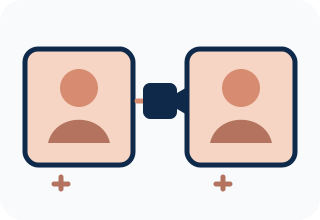
Notary and signer in video tiles joined by a camera icon and microphone symbols

Step 3

Complete the electronic record

During the session, the document is electronically signed and sealed. Call before booking if you have a question about your document, signer requirements, or the receiving party’s format.

Book Now Call 602-703-3448

How much does a RON appointment cost?

Our 2026 Remote Online Notary rates are listed below. Call with your document type and the number of signers and we will confirm the total before booking.

Remote Online Notary (RONs) & eSignings Pricing
Service and conditionsAmount and inclusions
INVESTOR, SBA & COMMERCIAL LOANS $200 1-50 pages. INCLUDES 1 signer, 5 Notary Stamps & platform fees up to $25.
Each Additional Page ADD $1 - Each additional signer ADD $25 - Each additional Notary stamp ADD $10 - Each Witness ADD $25
RONs for Real Estate Loans- PERSONAL Real Estate Documents Seller-Buyer-HELOCs-REFIs-Cash Buyer
DOMESTIC RONs in the USA - $100 Signing Conditions: Ordering company must provide the following for each signer: 1. Appointment times are between 8am and 5pm Arizona time. 2. USA Cell Phone number ONLY 3. Email address 4. Legal name of signer as printed on the ID the signer will use for knowledge based authentication (KBA) 5. Must have USA ID or USA PassportIncludes; 1 signer, 5 Notary Stamps & platform fees up to $25 Each additional signer ADD $25 - Each additional Notary stamp ADD $10 - Each Witness ADD $25 - Each Signer must have 6 months credit history with the USA - All appointment scheduling and confirmations will be via email or text. - If unexpected cellular fees are encountered they will be passed on to the ordering signing company. - If other “SPECIAL” conditions are requested, additional fees will be passed on to the ordering company from the Notary.
INTERNATIONAL RONs - $150 Signing Conditions: Ordering company must provide the following for each signer: 1. Appointment times are between 8am and 5pm Arizona Time 2. Email address 3. Legal name of signer as printed on the ID the signer will use for knowledge based authentication (KBA) 4. Must have 2 forms of ID: - USA Drivers LIC or State ID card AND - 2nd form of ID must either be an International ID card with Biometrics or any valid PassportIncludes; 1 signer for 5 Notary Stamps & platform fees up to $25 Each additional signer ADD $25 - Each additional Notary stamp ADD $10 - Each Witness ADD $25 - Each Signer must have 6 months credit history with the USA - All communications for scheduling, signing date/time confirmations or general instructions to the signer will be through EMAIL only. - If “SPECIALs” are requested by the ordering company or when the Notary is communicating with the signer, additional fees may be added and will be passed on to the ordering company.

Is remote notarization legal in Arizona?

Arizona permits commissioned remote Notaries to perform remote online notarization using an audio-video session, identity proofing, an electronic journal and an electronic seal. Whether a particular document can be completed this way also depends on the document and the organization receiving it.

Your appointment is performed by an Arizona-commissioned remote Notary. Whether a remotely notarized document is accepted is up to the agency or party receiving it, so check with them first — or call us to talk it through.

Outline of Arizona with a check mark for an Arizona-commissioned remote Notary
Arizona-commissioned remote Notary service.

Benefits of a remote appointment

  • Attend from home, work, or another location with a reliable connection.
  • Use a structured identity-verification and live-session workflow.
  • Receive an electronically signed and sealed record when the document is eligible.
  • Avoid printing, scanning, and a trip to an in-person appointment.
Verified electronic seal with a check mark

What you will need

Signer and document

  • Be at least 18 years old.
  • Documents intended for U.S. use.
  • A valid U.S. Social Security number and current or past U.S. address with at least six months of credit history.
  • A valid email address and U.S. cell phone number.
  • PDFs of the documents and the signer’s full legal name as shown on ID.

ID and equipment

  • A valid government-issued photo ID, such as a U.S. driver’s license, state ID, U.S. or foreign passport, passport card, work permit, or permanent resident card.
  • A smartphone for ID verification, or a computer or tablet with a webcam, microphone, and speakers.
  • A stable internet connection plus access to text messages and email.

Acknowledgements and jurats

Acknowledgement

In an acknowledgement, the signer tells the Notary that they signed the document willingly.

Jurat

In a jurat, the signer makes a sworn or affirmed statement and signs in the Notary’s presence during the remote session.

Documents people ask about

Remote appointments may be useful for affidavits, family documents, estate-planning and health-care documents, real-estate and loan paperwork, and business or financial documents when the document and recipient accept remote electronic notarization. Call 602-703-3448 before booking to discuss the document.

Areas we serve

Apache Junction · Arcadia · Avondale · Buckeye · Chandler · Fountain Hills · Gilbert · Glendale · Goodyear · Laveen · Litchfield Park · Maricopa · Mesa · North Glendale · North Phoenix · North Scottsdale · Old Town Scottsdale · Paradise Valley · Peoria · Phoenix · Queen Creek · San Tan Valley · Scottsdale · South Phoenix · Sun City · Sun City West · Surprise · Tempe · Tolleson

Call 602-703-3448Book Now